Start Small. Learn Big.
PushPad started as the proof of concept for CyWire's Master Prompt architecture back in January 2026. That was just me testing whether a structured JSON blueprint could reliably drive a real product. It wasn't PushPad itself yet. Active work on PushPad started about a month ago, and it's still a working build, not something shipped. The lesson pad, grading, and mastery engine are built and typecheck clean, but the full learner flow, taking a pad, getting graded, clearing the mastery bar, hasn't been walked through live yet. Neither has the marketplace purchase flow, and most of the voice input still needs to be checked in a real browser. Here's where it actually stands right now.
Most Learning Apps Only Check If You Finished
Watch the video, read the passage, click next. That's most supplemental learning tools. They check if you got to the end, not whether anything actually stuck. That's part of why most of what gets taught is forgotten within a day, nothing makes you prove you remember it before moving on.
The other extreme is going too far the other way and turning into a full curriculum platform, with seating charts, gradebooks, weighted categories. That's a lot more than an educator needs when a learner just needs to revisit one thing they're shaky on. PushPad is meant to supplement what's already being taught, not replace it.
I wanted something in the middle. Quick enough to assign in a few minutes, but strict enough that you actually have to show you get it before moving forward.
The Lesson Pad Is the Smallest Piece
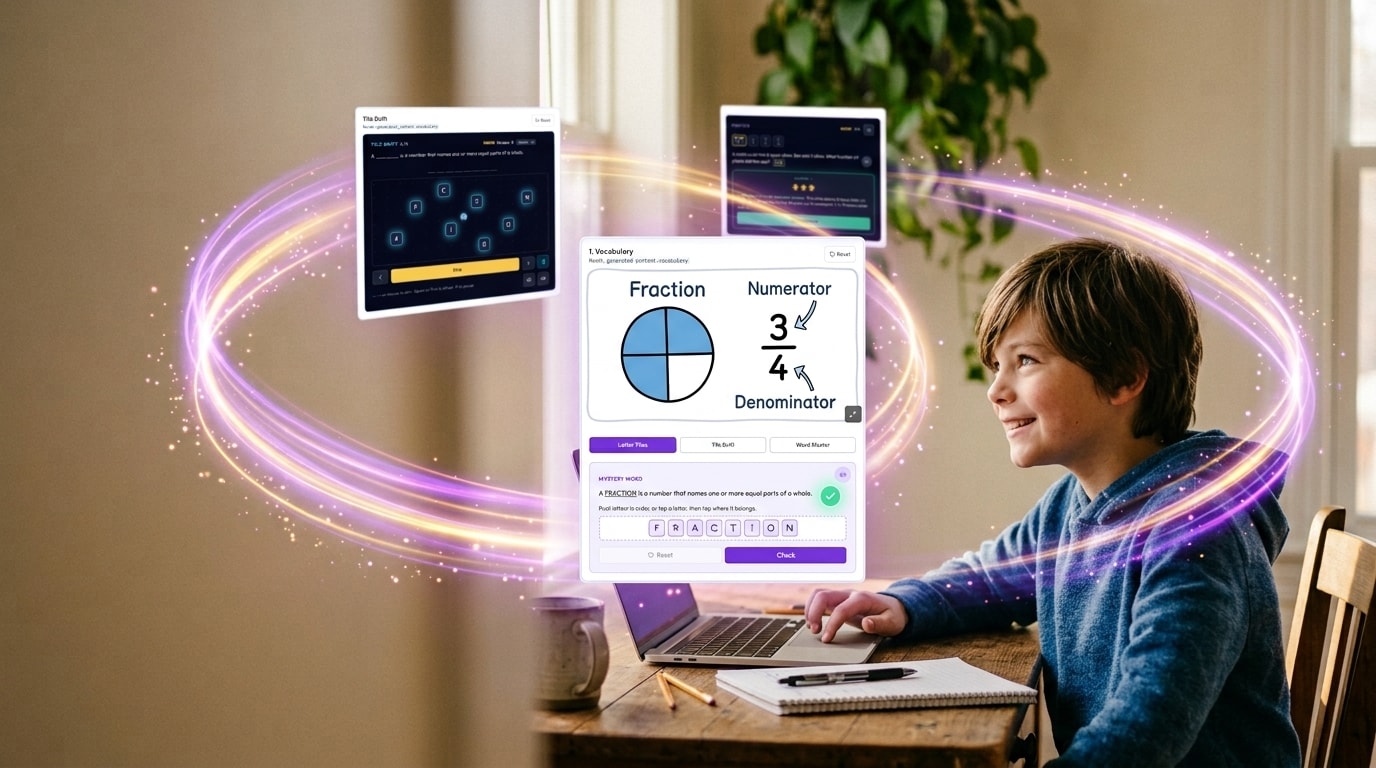
Everything in PushPad builds up from the lesson pad. Not the lesson, not the unit, the pad. One lesson pad covers one concept, and it walks through the same seven sections every time: concept, example, vocabulary, activity, practice, problems, quiz. A few of those are graded and count toward the pad's score. The rest are just practice, no grade attached.
From there pads stack up. Three to five of them make a lesson, lessons group into units, units make a course. An educator can add, remove, swap, or reorder any pad whenever they want, or push a different one into the sequence when a learner needs something else. That's where the name comes from: PushPad, because nothing in the path is fixed, an educator can push a new pad, lesson, unit, or course into place any time a learner's needs change. Each lesson pad still only exists in one place and gets pulled in wherever it's used, so there's one copy to keep straight, even if it shows up in five different courses or gets sold on the marketplace.
An educator usually starts at the course level and works down. Describe the course, and PushPad drafts the scaffold, units and lessons, ready to review. That scaffold becomes a real course structure an educator can open, assign, or edit, and individual lesson pads get created to fill the slots in it.
Grading Runs on the Server, Not the Browser
A mastery gate is pointless if the score behind it can be faked. So all grading happens server-side, using the pad's stored content and whatever the learner actually submitted. The learner's browser never gets to hand back its own score.
Each graded section has its own point scale, and before it counts toward the final mastery number, it gets converted to a percentage. That's what keeps a section worth more points from quietly outweighing one worth fewer just because of how it was built. Problems and Quiz get averaged evenly for the pad's mastery score. Practice doesn't count toward it at all, it's just there for reps.
Writing a lesson pad and grading one use two different Claude models on purpose. Sonnet writes the content, because that's where quality is worth paying for. Haiku grades the answers, because that's a narrower job and speed matters more there. They don't swap roles.
No route in PushPad returns fake data to fill a gap. If something isn't there yet, the app either shows a real empty state or a real error, never a hardcoded stand-in dressed up as a result. A mastery score you can't trust is worse than no score at all.
You Don't Move On Until You've Shown Mastery
Every lesson pad has a mastery bar to clear, 80% by default. The next pad in line stays locked until the learner's best score clears that bar, or an educator opens it manually. A learner can retry as many times as they need, and every attempt gets saved on its own instead of overwriting the last one, so there's a full record even after they eventually pass.
If a learner doesn't clear the bar, PushPad doesn't just quietly move them somewhere else. It flags the pad for the educator and shows them related material they've already got on hand. Whatever happens next is the educator's decision, and it only affects that one learner, never the original course, never anyone else assigned to it. There's a record of what got changed and why.
Assigning Content Copies It, It Doesn't Link It
Courses, units, and lessons start as templates an educator builds once and reuses. The moment one gets assigned to a learner, PushPad makes a separate copy just for them. If the educator edits the original template afterward, that learner's copy doesn't change. Their progress and anything adjusted later stays inside their own copy, completely separate from every other learner who got the same assignment.
Marketplace listings work the same way. When a lesson pad gets published, PushPad locks in a snapshot of it at that exact moment, separate from the version the educator keeps editing. A buyer gets that snapshot as their own copy, free to edit however they want from there, and it's no longer tied to the seller's original in any way. If the creator changes their live pad later, none of that reaches anyone who already bought it. You get the one pad you paid for, not a way into the seller's whole library.
Selling on the Marketplace Runs Through Stripe
If an educator wants to sell, they start from their listings settings, and PushPad kicks off a Stripe Connect account for them. Stripe's own onboarding handles identity and payout setup from there. That part is live and works. The other half, a learner actually buying a pad and the webhook that hands them their copy, is built but hasn't been tested with a real purchase yet. There just isn't enough listed yet to make that worth running.
No Cron Jobs
Nothing in PushPad runs on a timer. No cron, no pg_cron, nothing sitting in the background waiting to fire. If something needs cleaning up, it happens because of something a user did, a pad gets archived when it's published, not swept up in some nightly job. If something truly can't be tied to an action a user takes, it goes through a Supabase database trigger before I'd ever add a scheduled job. Less stuff running unattended means less stuff to debug when it breaks quietly at 2am.
Mobile First, Not Mobile Eventually
PushPad only runs in the browser, and it's built for a phone first: touch targets sized for a thumb, no desktop-only screens hiding somewhere. No app to install, no offline mode, no service worker. Installed web apps tend to fragment into different half-working copies per browser, and that's not worth it for something like this.
The UI runs on Tailwind, no separate design system built from scratch. Tailwind's spacing, color, and type scale already are a design system, so the actual work is a customized config and consistent component patterns, not reinventing a token scale that was already solid. It's also a base I can extend with custom overrides whenever branding needs it, not something I'm locked into.
Voice fits into that same mobile-first thinking, since a lot of this gets done in short sessions on a phone. Read Aloud and the mic both use the browser's own speech APIs, no outside voice service. Read Aloud is done across every section. The mic is wired into all nine fields where a learner can type, and it typechecks clean, but only one of those nine has actually been tested by talking into a real browser so far. Same code behind all nine, so it's low risk, just not confirmed yet.
What This Actually Saves an Educator
RAND has research showing educators spend around a quarter of their week just on content prep, and almost another fifth on grading and feedback. That's the exact time PushPad is built to give back. Sonnet writes a first draft of a pad so the educator isn't starting from a blank page, and Haiku grades each answer as it comes in instead of the educator doing it by hand. The educator still approves what gets assigned and still decides if a learner's path needs to change. PushPad just handles the repetitive part.
What's Not Done Yet
A few things are still open. First is just housekeeping: an old set of database tables from an earlier version of the Course Manager that nothing in the app reads or writes to anymore. The Course Manager educators actually use is unaffected, that old code is just sitting there unused. It's getting deleted, not kept around as a fallback, dead code with zero readers doesn't earn a reason to stay.
Second: deleting a learner account that came in through an invite can fail partway through. I ruled out my own code first, client config, sequencing, dev environment, foreign key cascades, database triggers, before landing on Supabase's own auth service as the actual cause. It's reproducible every time, and it's on their end, not mine. Until that's sorted out there's no way inside the app to finish that delete if it fails. I've manually cleared out the accounts that were already stuck from it, but the bug itself is still live, so it'll happen again on the next one that gets hard-deleted.
Third, and the biggest one before this is ready for real educators: there are only 2 lesson pads in the system right now. The generation tooling behind them is done, it's the same Master Prompt engine from CyWire, so building out a real starting library is a matter of running it, not building anything new. But an empty marketplace and a handful of pads isn't something to launch on.